Check Your Mobile’s Full Details Are you going to buy a new or used smartphone? Want to check your phone’s full specification, RAM, processor, battery health and other details of the device?
Want to check mobile full details ? Mobile Info App Get your IMEI info, device specs, RAM, processor, Android version, storage and battery info with a mobile info app. Get Telugu Apps & AI For Handy Android Tips & Smartphone Tricks.
Note: Device information and battery health readings depend on your phone model and the capabilities of the app. IMEI information does not make a phone authentic. So, stay tuned for more on technology, android hacks, mobile applications and AI!
Then this app can assist you in exploring your phone’s hardware and system information!
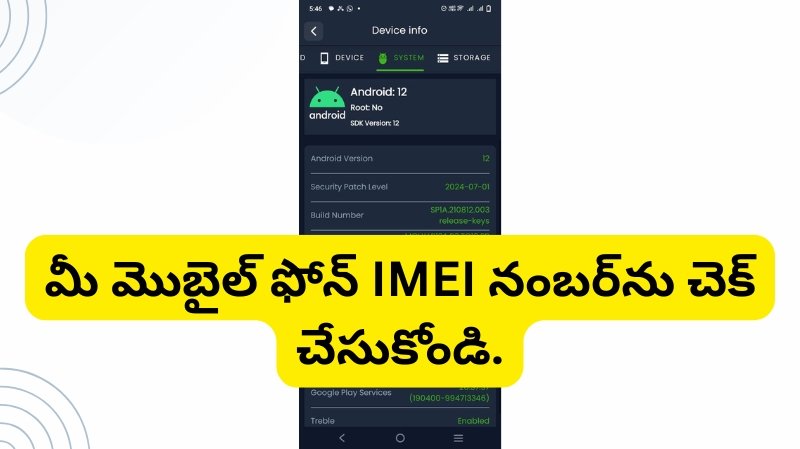
First, open the IMEI app and then enter the IMEI number of your phone. Tap Check to see the details of the available device.
Now tap on the three dots in the top left. There are many options like Order Status, Secret Code, Android Tips, Mobile Tricks, and Device Information under the Tools section.
We’ll want to check our phone’s full specifications, so tap on Device Information.
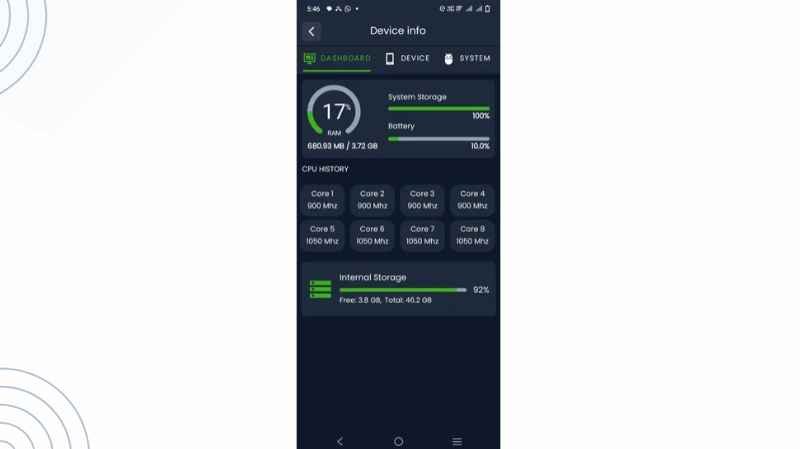
This will bring up a dashboard with various information about your phone.
First of all, you can check your RAM usage, system storage, battery level, CPU history, and internal storage information.
Next, tap the Device section. You can see things like your device name, model, manufacturer, device number, board, hardware, brand, Android Device ID, language, build fingerprint, USB host, device type and network type.
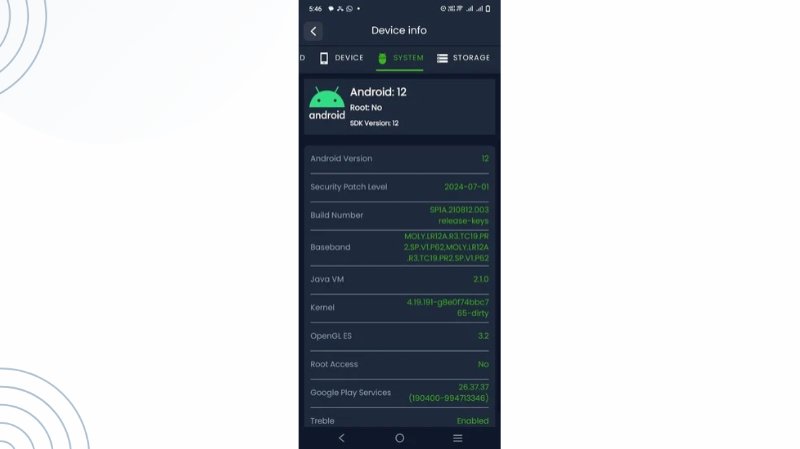
Now tap on System to see your phone software information.
You can check out your Android version, security patch level, build number, baseband version, Java version, kernel version, OpenGL information, root access status, Google Play Services details, and system uptime.
Next, go to the Storage section to see your total storage, used storage, and available free space.
In the CPU section, you will see your processor name, supported architecture, number of CPU cores, ARM architecture details and L1, L2 and L3 cache information if it is available.
Now let’s head over to the Battery section.
This may include your battery percentage, the reported battery health, voltage, temperature, capacity, technology, battery status and power source depending on what information your device supports.
So, if you want to check your smartphone’s specifications, hardware details, software information, RAM usage, processor details, storage and battery information then this app can be helpful.
Install the app and check out your device info!
DOWNLOAD APP
For more useful mobile tips, Android tricks and AI updates, follow our page.
IMEI check, check mobile details, mobile information app, device information app, smartphone specifications, check phone RAM, CPU information Android, battery health check, Android device info, phone hardware information, Android version check, mobile storage check, smartphone tips and tricks, Android tips, mobile tricks, tech tips, Telugu Apps and AI, second hand mobile check, how to check mobile details, IMEI number check