How to Voter List Check Running around the government offices to confirm whether your name is in the voter list? Worried that you’ve misplaced your Voter ID? Stop worrying now. ECINET is an app from the Election Commission of India. In this video, I’ll explain to you in simple words what’s inside it and how to utilize it. Stay until the finish.
ECINET (Election Commission of India Network). Once you open the app, you will notice two tabs at the top: Conduct of Election and Voter Services. We’ll start with Voter Services, which has everything an ordinary voter needs.
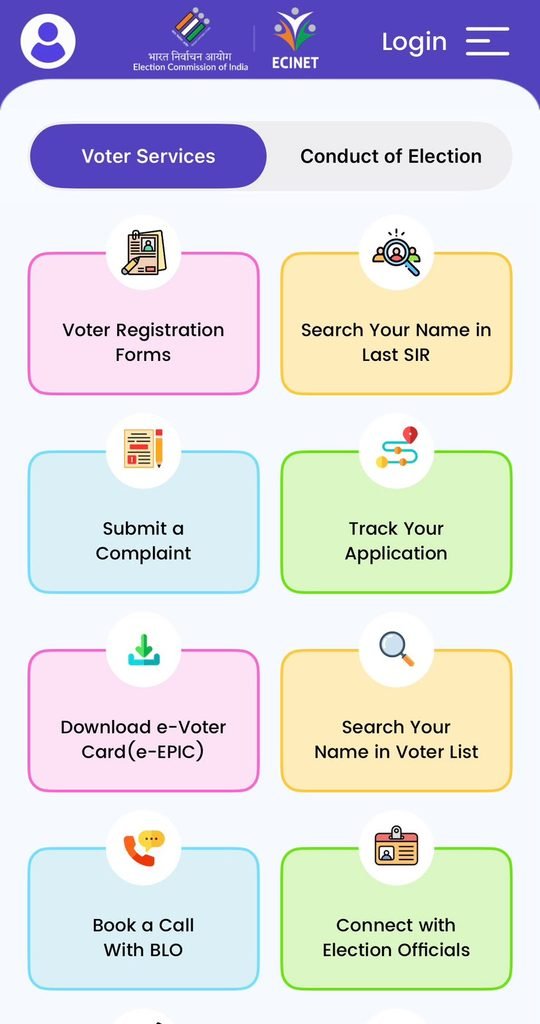
Voter Registration Forms
That’s where you go if you’re a new voter who’s registering. Here is a handy resource if you have just turned 18, have moved, or want to fix a typo in your name. You can obtain forms such as the new voter registration form (Form 6) here. No more lines with a stack of papers.
Last SIR Searched By Name
Right present, many individuals are asking this. SIR is short for Special Intensive Revision of the voter list. Here you may find out if you were on the last SIR list. If it wasn’t, you can find out early and make the necessary corrections. It’s a lot better than finding out on election day at the polls.
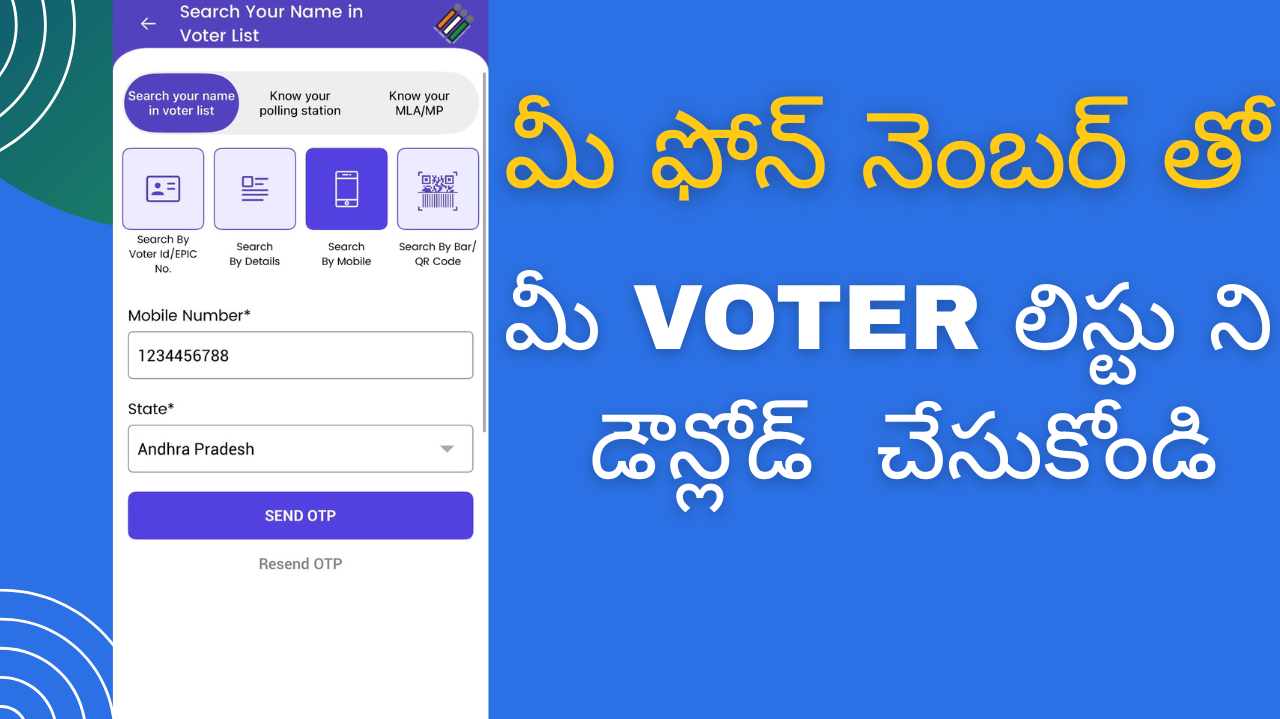
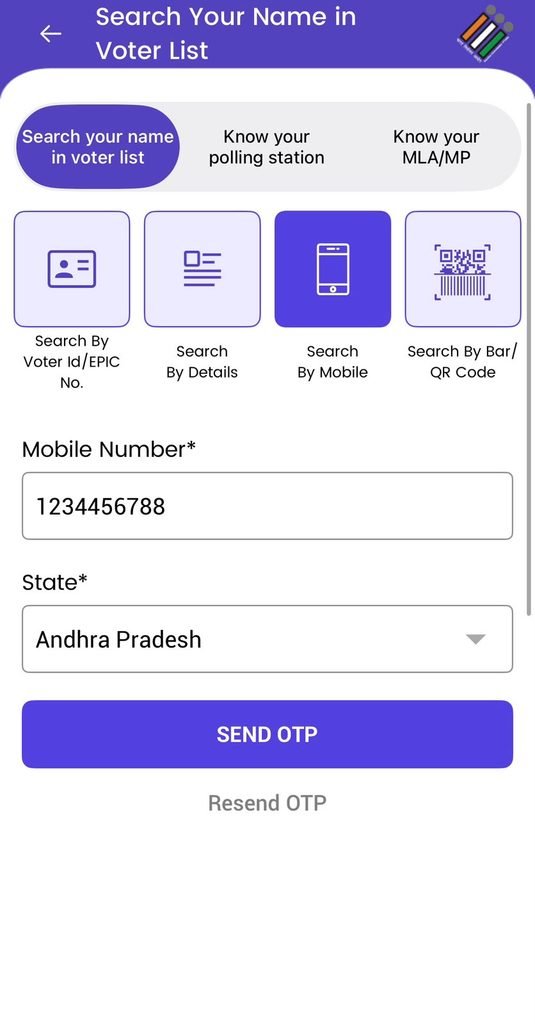
Verify your name in voter list.
Find your name in the latest voter list. Simply enter your details, and you’re good to go. You might even be able to locate your polling station. You should also check the names of your family members one by one, as if even one name is absent, then that individual loses his/her vote.
Download e-Voter Card (e-EPIC)
This is my favorite feature of the software. If you misplace or damage your Voter ID, you don’t need to wait weeks to get a new in the mail. Just download the e-EPIC version of your Voter ID on your mobile. If you want to print it off, you can, or you can even carry it on your phone and present it when needed.
Download App
Log a Complaint
If you see something amiss on election day, such distribution of money or some rule-breaking, you can submit a complaint directly from the app. Or it is forwarded to the proper authorities.
Track your application.
Was a new registration or rectification applied for? Now you can know exactly where your application stands. No more callin’ the office and pesterin’!
Fix a Call to BLO
BLO: Booth Level Officer (Booth Level Officer). He is the guy who is responsible for maintaining the voter details of your area. If you have any worries, you may even call him to make an appointment to speak to your BLO with this option. No need to wander around the neighborhood looking for them.
Call Election Officials
You’ll discover information and phone numbers for election authorities in your region. This way you know who to contact if something more serious arises.
(Using the app)1. Go to Play store/App store, search for “ECINET” and download the app. Ensure that the developer is the Election Commission of India. Don’t download imitation apps.2. Open the app. This will allow you to use some services without logging in. For others, tap Login at the upper right and sign in with your phone number.3. Tap the service you require. You can scroll down and view all the services down below.
What I Think
Used to go to numerous websites and different applications for all of stuff. Now you may have it in one spot. It is bright cards and simple design, super easy for family members if they are older to use.
It’s your right as a voter. Spend a minute today and make sure your name is on the voter list. If you found this video helpful, share it with your friends and family. Subscribe for more apps like this one. I’ll see you in the next one.