How to Create a Viral Miniature Yamaha MT-15 V2 Video Here are the instructions to make a miniature motorcycle assembly video just like you shared on Instagram Reel.
Step 1: Create the Reference Image
Open ChatGPT or any other AI image generator.
- Upload a reference photo of Yamaha MT-15 V2
- Request a realistic miniature.
- Change aspect ratio to 9:16 (vertical)
- Keep the motorcycle design and colors similar to the reference.
Step 2: Make the video prompt
Open Chatbot and paste this prompt:
VIDEO PROMPT: YAMAHA MT-15 V2 — UNIVERSAL MINIATURE BUILD — 10 SECONDS
VEHICLE: YAMAHA MT-15 V2
Create exactly one 10-second, ultra-realistic, 9:16 vertical macro-cinematic miniature motorcycle assembly video. Show a highly detailed miniature Yamaha MT-15 V2 being assembled by the hands of ONE adult man on a warm, natural wooden workshop table. The miniature must accurately reproduce the recognizable design of the real Yamaha MT-15 V2, including its aggressive streetfighter styling, compact fuel tank, distinctive robotic LED headlight, sculpted body panels, exposed mechanical details, front USD-style forks, alloy wheels, disc brakes, chain drive, rear monoshock suspension, stepped seat, handlebars, mirrors, exhaust, and authentic Yamaha-inspired color scheme.
The finished miniature must look like a physically manufactured, mechanically believable scale model, not a full-size motorcycle. Maintain consistent miniature scale, realistic metal fasteners, rubber tires, plastic body panels, tiny screws, and precise mechanical alignment throughout the video.
WORKSHOP ENVIRONMENT
A warm wooden workbench with subtle natural wood grain, a softly blurred workshop background, realistic ambient lighting, cinematic highlights, physically accurate shadows, and shallow depth of field. Only ONE adult man is present. Show only his realistic hands and forearms while assembling the miniature. Use tiny precision screwdrivers, miniature pliers, tweezers, and realistic model-building tools where appropriate. No additional people, no tiny workers, and no visible face.
PRECISE 10-SECOND ASSEMBLY TIMELINE
0–1 second — Engine and chassis assembly: Start with a cinematic macro close-up of the miniature Yamaha MT-15 V2 chassis resting on the wooden table. The man’s fingers carefully position the miniature engine block inside the frame and tighten a tiny mounting bolt with a precision screwdriver. Show realistic metal reflections and subtle finger movements.
1–2 seconds — Front suspension and steering: In a continuous close-up, the man carefully aligns the miniature front fork assembly with the steering head, secures the front suspension, and positions the handlebars. Every component must fit naturally into the chassis without floating or passing through other parts.
2–3 seconds — Front wheel and brakes: The man inserts the miniature front wheel between the fork legs, aligns the axle, tightens the fastener, and fits the disc brake assembly. Show the rubber tire tread, metallic brake disc, and detailed alloy wheel in sharp macro focus.
3–4 seconds — Rear wheel and drivetrain: The man positions the miniature rear wheel, aligns the rear axle, attaches the chain to the sprocket, and connects the rear suspension. The chain must follow a physically plausible path around the sprockets.
4–5 seconds — Fuel tank and bodywork: He carefully lowers the sculpted miniature fuel tank and side body panels into place, matching the distinctive Yamaha MT-15 V2 streetfighter silhouette. He secures the panels with tiny screws. Preserve the correct tank proportions and color scheme.
5–6 seconds — Seat, exhaust, and footrests: The man attaches the stepped rider-and-pillion seat, miniature exhaust assembly, footrests, and remaining side covers. Each component is installed by hand with realistic contact, alignment, and fastening movements.
6–7 seconds — Headlight and controls: He carefully fits the distinctive front LED headlight housing, instrument cluster, handlebar controls, mirrors, and front indicators. The front end must resemble the recognizable aggressive face of the Yamaha MT-15 V2, with realistic transparent lens materials and crisp edges.
7–8 seconds — Final detailing: Using miniature tweezers and a precision screwdriver, the man installs small finishing pieces, checks the brake components, aligns the handlebars, and gently rotates the wheels to verify that they move freely. Add subtle reflections across the finished paintwork and metallic parts.
8–9 seconds — Final inspection: The man steadies the completed miniature motorcycle with one hand and gently turns the front wheel with the other. The motorcycle remains upright and structurally consistent. Show the finished fuel tank, headlight, frame, wheels, chain, suspension, and exhaust in a slow, cinematic macro camera movement.
9–10 seconds — Hero reveal: The man’s hands gently move away, revealing the fully assembled miniature Yamaha MT-15 V2 centered on the warm wooden table. The camera makes a smooth, slow push-in from a front three-quarter angle, highlighting the aggressive headlight, sculpted tank, alloy wheels, and realistic mechanical details. End with a sharp, premium product-shot composition and softly blurred workshop background.
CAMERA AND VISUAL STYLE
Vertical 9:16 composition, photorealistic macro cinematography, extreme mechanical detail, shallow depth of field, realistic miniature scale, smooth controlled camera movement, natural hand motion, warm workshop lighting, physically accurate shadows, subtle metal reflections, realistic rubber and plastic textures, premium commercial product-film quality, and crisp focus on the active assembly step.
Use continuous, temporally consistent motion. Keep the same man’s hands, the same motorcycle, the same scale, the same workbench, and the same lighting throughout all 10 seconds. Every assembly action must be visually coherent and occur in chronological order.
STRICT NEGATIVE INSTRUCTIONS
No extra people, no tiny workers, no cartoon or toy-like rendering, no full-size motorcycle, no changing motorcycle model, no incorrect fuel tank shape, no missing wheels, no duplicate parts, no floating components, no magically appearing parts, no impossible mechanical connections, no deformed hands, no extra fingers, no inconsistent scale, no random color changes, no excessive motion blur, no sudden scene transitions, no jump cuts, no text overlays, no subtitles, no watermarks, and no unrelated objects.
OUTPUT: Exactly one 10-second, ultra-realistic, 9:16 vertical miniature Yamaha MT-15 V2 assembly video.
Step 3: Start Google Flow
1 Open Google Flow.
2. Log in with your Google account.
3. Create a new project
4. Choose the available video generation model.
Step 4: Create the Assembly Video
- If available, choose the image to video option.
- Upload the Yamaha MT-15 V2 reference image miniature image.
- Paste the full video prompt in the prompt box.
- Set the video format to 9:16 portrait if possible.
- Select the duration closest to 10 seconds that is available.
- Click Generate.
Note: The models, duration settings, and generation credits available may vary. Not every step of an assembly is perfect in a single generation.
Step 5: Make multiple clips for best results
For a more realistic assembly video do three separate clips.
Clip 1 – Chassis and Engine
Good engine, frame, front fork and wheels.
Body and Details – Clip 2
Install the tank, seat, headlight, chain, exhaust and mirrors.
Clip 3 – The Big Reveal
Show the finished mini bike with a smooth cinematic camera move.
Step 6: Edit & Export
Use CapCut or a video editing software.
- Order the clips by date.
- Include realistic mechanical sound effects.
- Smooth transitions and close-up shots.
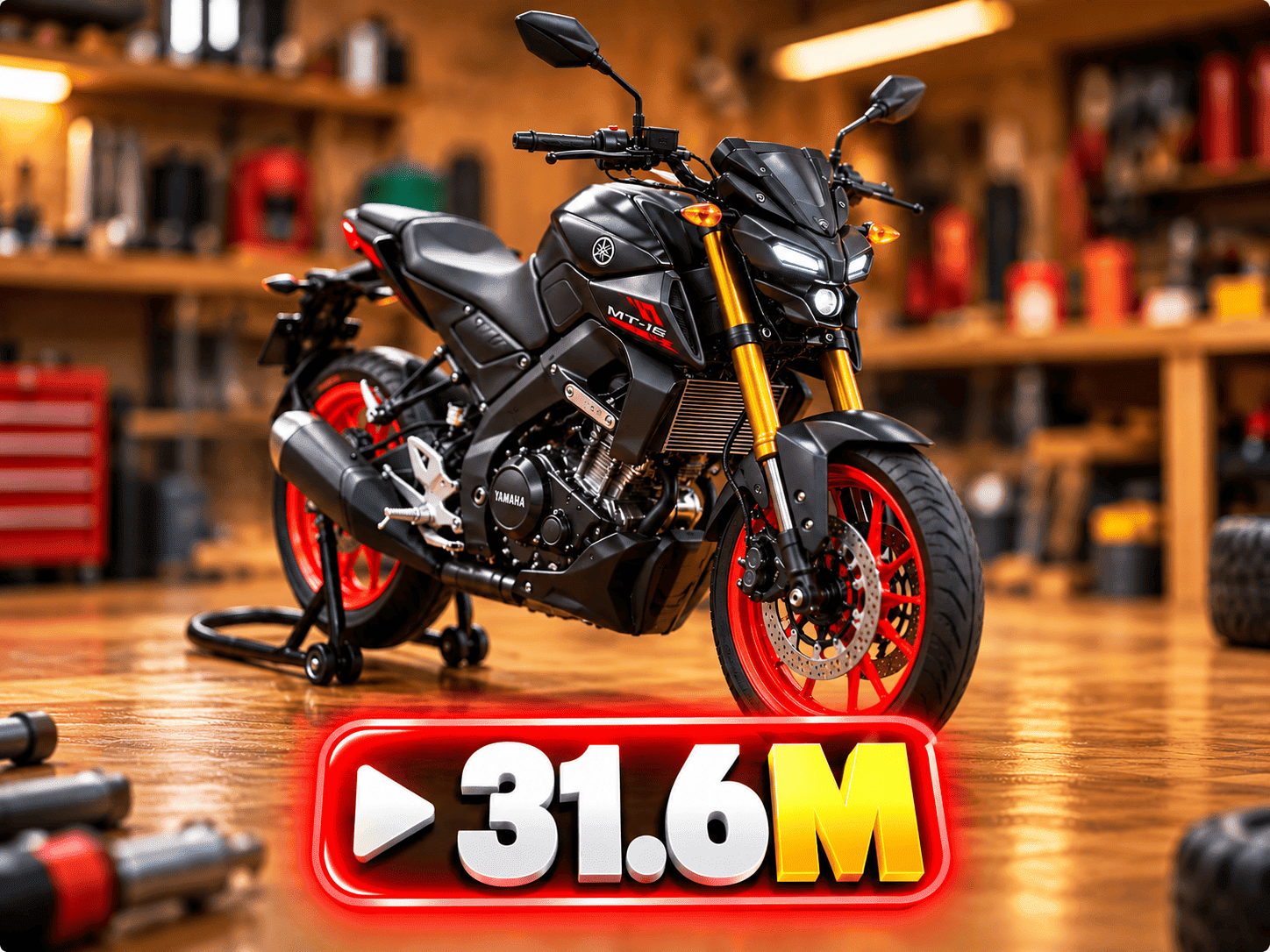
- Export at 1080 x 1920, 9:16 ratio.- Want to recreate the reference style?Add a thumbnail with 31.6M large text.